


Design 2021: Create like the pros now - with the right software
Architectural firms, kitchen studios, garden design, interior design - in many professions, creating 3D presentations is now standard practice. And since more and more people are working from home, it is also necessary to install suitable design software on a PC that enables both 2D and 3D designs. We explain what so-called 3D CAD software is, who needs it, and what you can do with it.
Perfect design with 3D CAD software
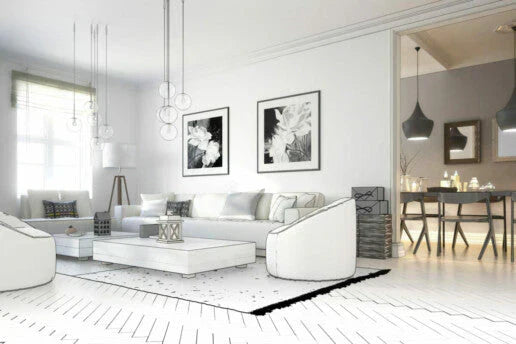
When an architect has designed a house, they no longer present it to the client as a drawing or a scale cardboard model; they create an absolutely realistic-looking 3D model on a computer. It can be viewed from all sides with a click of the mouse, and the house can be explored virtually. A simple keystroke is all it takes to install different doors, change the color of the roof, or make an additional panoramic window appear as if by magic. The same applies to interior design. 3D presentations are now commonplace in garden design, too. New garden products or home trends are brought to life virtually, as if they were "real," which makes purchasing decisions and planning much easier. Customers can see what they are getting, and changes can be made with a click of the mouse. All this is possible with good 3D CAD software - this computer-aided technology for drawing, developing, and designing replaces manual drafts and automates the process of displaying all objects in three dimensions.

Two-dimensional vs. three-dimensional - the differences
In general, every drawing is a two-dimensional model. It is flat and has only height and width as dimensions. 3D images, by contrast, are three-dimensional; they enhance the perception of depth and therefore appear more lifelike. 2D CAD software creates two-dimensional (flat) objects from predefined basic shapes such as lines, circles, ellipses, and so on. 2D images are created according to trigonometric rules by producing three views - front view, side view, and top view. 3D CAD software represents the same geometric objects in three-dimensional form. This makes it possible, for example, to create realistic three-dimensional representations of sectional views, elevations, technical drawings, architectural designs, interior furnishings, or landscapes.
3D Techniques for Computers
There are different approaches to creating 3D models with 3D CAD software. The three most common are:
- Wireframe modeling: This technique offers a high degree of transparency. Wireframe modeling in 3D requires little computing time.
- Surface modeling: Visible surfaces are shown as colored, connected polygons. To work with a surface model, you first need to create an edge or wireframe model in which each polygon has its own color.
- Solid modeling: This technique, also called body modeling, creates 3D models that closely approximate reality.

Top 3D CAD Software for Professionals and Beginners
There are numerous 3D CAD software programs based on different 3D techniques and varying in ease of use. Two of the leading programs are:
- Architect 3D by Avanquest


